Next-Gen Automotive HMI: Intuitive & Adaptive In-Car Experience Live Prototype
Designed a production-ready infotainment interface for electric vehicles with modular, driver-focused interaction models, prioritizing safety, clarity, and minimal cognitive load.
Cluttered dashboards are a safety hazard
Modern infotainment systems bury critical functions under layers of nested menus. Drivers are forced to take their eyes off the road, increasing cognitive load and accident risk. The challenge was to design a touch-first, glanceable, context-aware HMI that scales across screen sizes and adapts to driving conditions.
Visual Overload
Existing OEM interfaces pack too much information onto single screens, forcing drivers to parse complex layouts while driving at speed.
Glance Time Violation
NHTSA guidelines require interactions to complete within 2 seconds of glance time. Most current systems routinely exceed this threshold.
Deep Menu Nesting
Essential controls like climate, media, and navigation are buried 3–4 levels deep, requiring multiple taps and prolonged attention away from the road.
No Contextual Adaptation
Interfaces don't adapt to driving conditions. The same UI is shown whether the car is parked, cruising, or navigating heavy traffic.
Understanding drivers, not just users
Research went beyond standard UX methods. The automotive context demanded understanding physical environments, safety regulations, and the unique constraints of interacting with a screen at 70 MPH.
Ride-alongs & Observation
Observed real driver behavior in various conditions: when they glance at the screen, how long their eyes leave the road, and what triggers interaction during driving.
User Interviews
Spoke with drivers across different profiles, including commuters, long-haul drivers, EV owners, and tech-savvy vs. tech-averse users, to understand frustrations with existing infotainment systems.
Benchmark Analysis
Studied existing OEM systems (Tesla, Mercedes MBUX, BMW iDrive), analyzing information architecture, interaction patterns, and where they succeed or fail at glanceability.
Safety Standards Review
Deep dive into NHTSA Visual-Manual Guidelines and ISO 15005 to understand regulatory constraints around driver distraction, glance time, and interaction complexity.
Key Insights
Three findings that shaped every design decision:
Glance Time Budget
Every interaction must be completable within a 2-second glance. This mandated large tap targets, minimal menu depth, and spatial predictability.
Persistent Climate Access
Users overwhelmingly expected climate controls to be always accessible, never buried in a sub-menu. Temperature is the most frequently adjusted setting while driving.
Spatial Predictability
Drivers build muscle memory for screen locations. Moving elements between screens or states caused confusion. Consistent spatial layout was non-negotiable.
One driver, four cognitive states
Traditional UX personas model different people. Automotive HMI models something harder: the same person in radically different cognitive states. A driver merging onto a highway and the same driver parked at a charger are effectively two different users. The interface must recognize this shift and adapt in real time.
This framework is grounded in the NHTSA Visual-Manual Driver Distraction Guidelines and ISO 15007 visual behavior standards. Each profile maps a driving context to a measurable attention budget, then prescribes specific HMI responses: zone activation, interaction modality, content restrictions, and layout density.
- Cluster-only mode, center & passenger dim
- All touch interaction suppressed
- ADAS alerts escalate to haptic + audio
- Notifications queue until load drops
- Center zone active: nav, widgets, media
- Touch enabled with 48dp+ targets only
- Passenger zone independent entertainment
- Notifications shown but non-modal
- Centre active: nav, widgets, media
- Passenger zone off (driver only)
- Widget rearrangement enabled
- Scrollable lists, smaller targets allowed
- Quick-reply to messages enabled
- Video playback unlocked on all zones
- Full browsing, gaming, and media
- Cluster transforms to content display
- Theatre mode: ambient lighting sync
State Transition Map: How the HMI shifts between profiles
35-minute commute: how the HMI adapts in real time
This timeline traces a single commute from driveway to office parking. It maps the driver's cognitive load, the HMI mode active at each segment, what the driver interacts with, and what the system restricts, showing how the four context profiles translate into a living, breathing interface.
Three-zone screen architecture
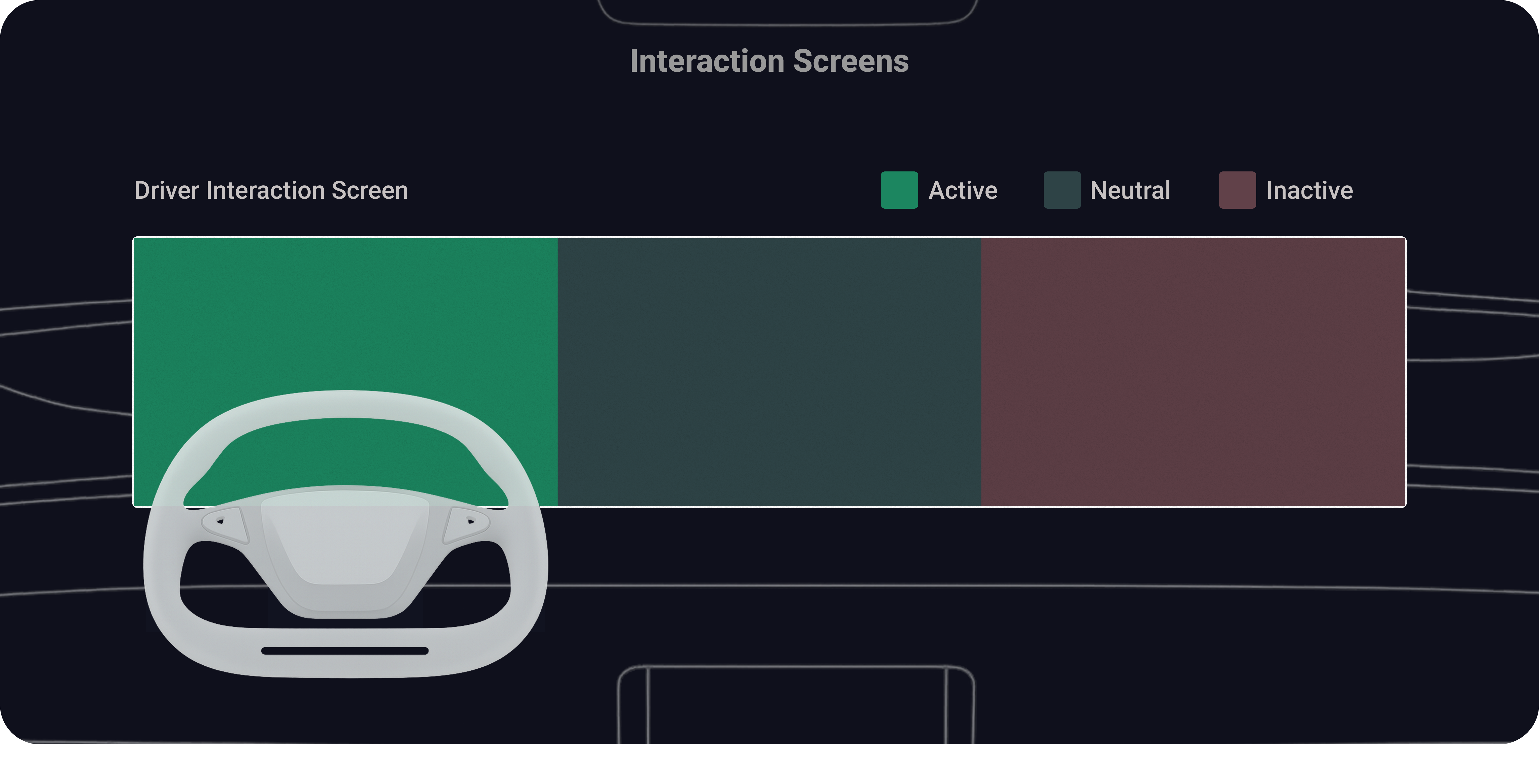
The 5120 × 1080px ultra-wide display is divided into three purposeful zones, each serving a distinct user and interaction context. The driver's zone prioritizes safety-critical information, the center handles navigation and vehicle controls, and the passenger side provides entertainment autonomy.
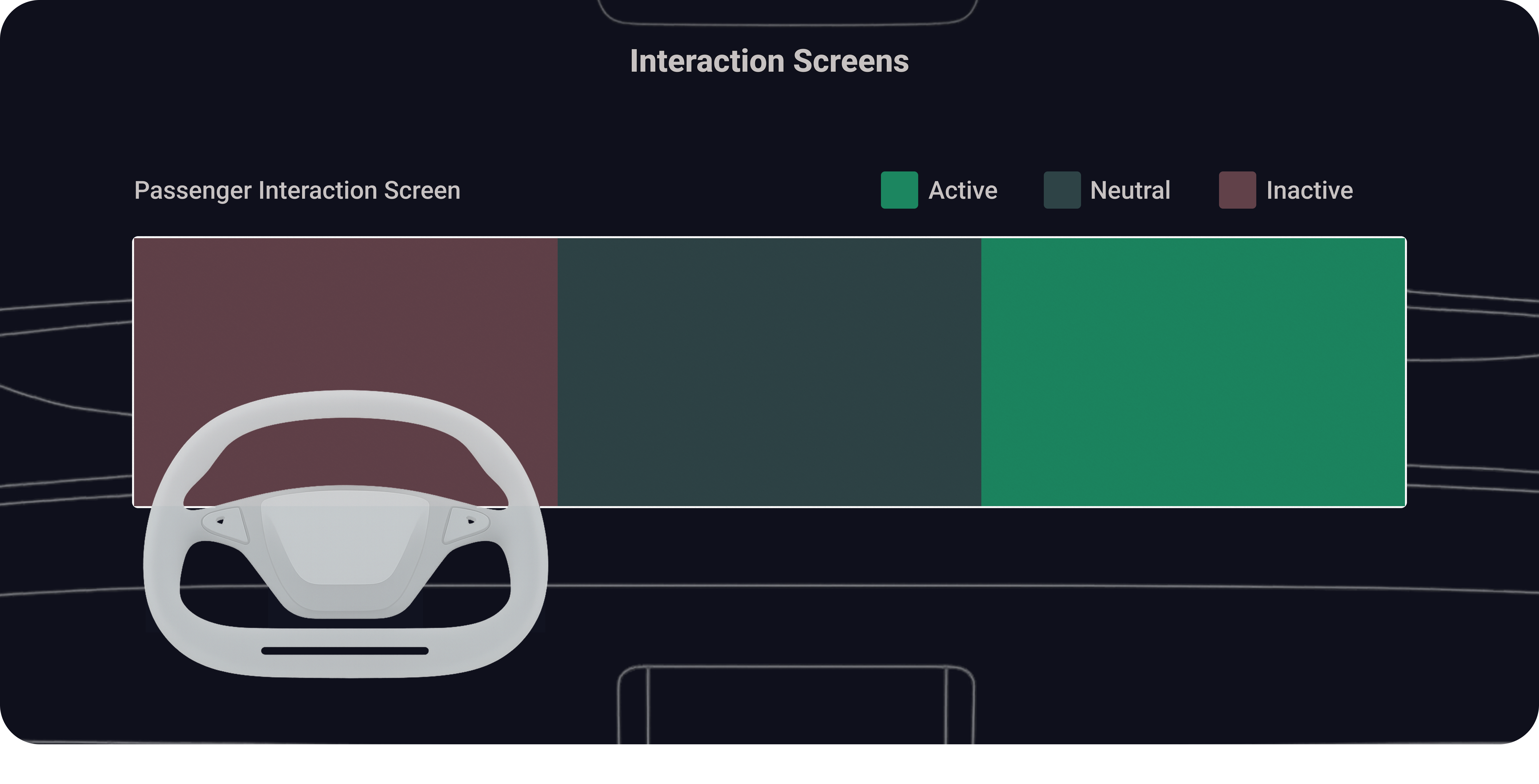
Interaction Screen Layout
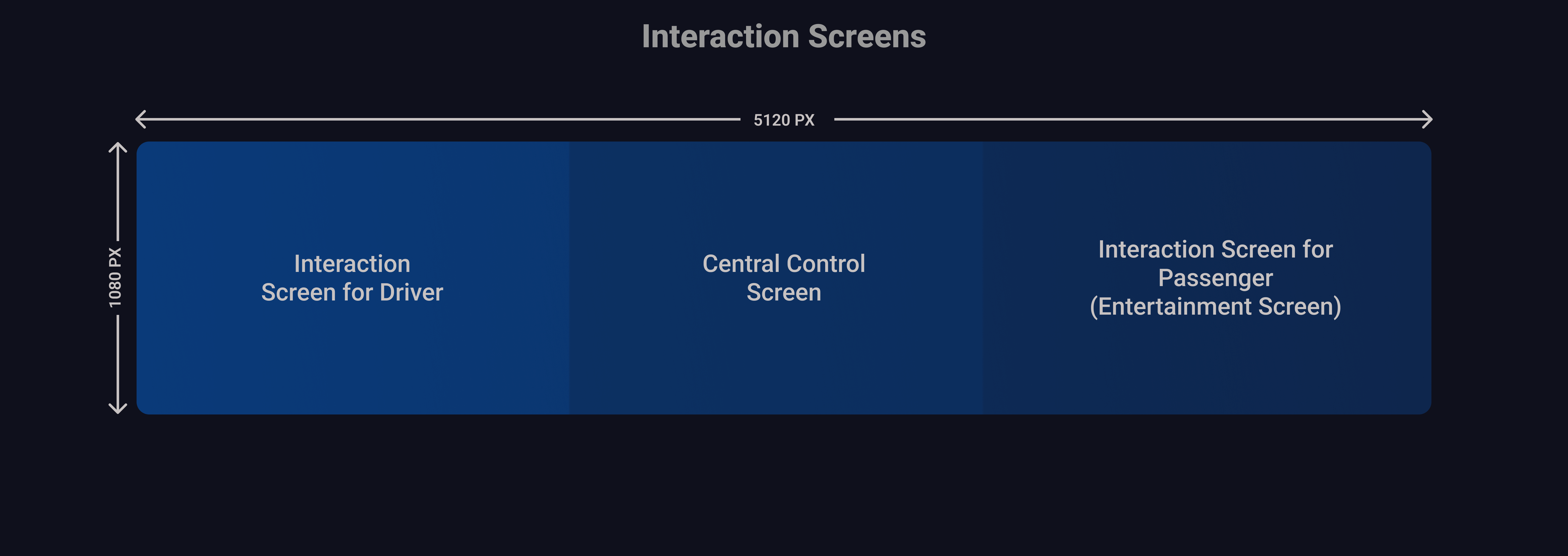
Driver's Interaction Screen Layout, Active, Neutral, Inactive
Passenger's Interaction Screen Layout, Active, Neutral, Inactive
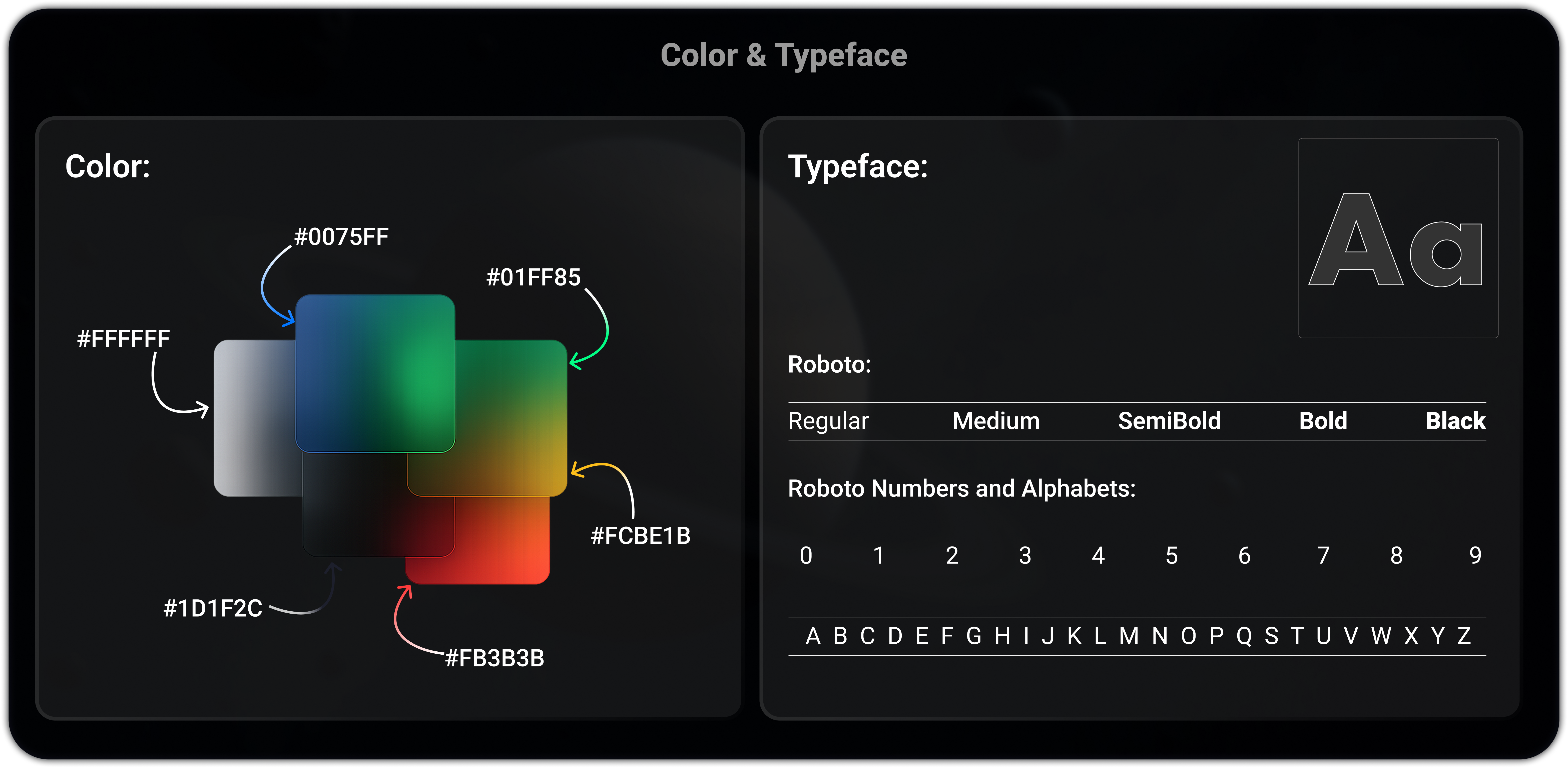
Built for darkness, motion, and speed
Every design token was chosen for the automotive context: high-contrast colors that work in direct sunlight and total darkness, Roboto for legibility at arm's length, 48dp+ touch targets for vibration-safe tapping, and a gesture vocabulary that maps to natural driving behaviors.
Meet Nova: Emotional intelligence on wheels
Nova is the in-car AI assistant designed with emotional awareness. Beyond executing commands, it proactively suggests actions, like offering ambient lighting when playing relaxing music, creating a warmer, more human connection between driver and vehicle.

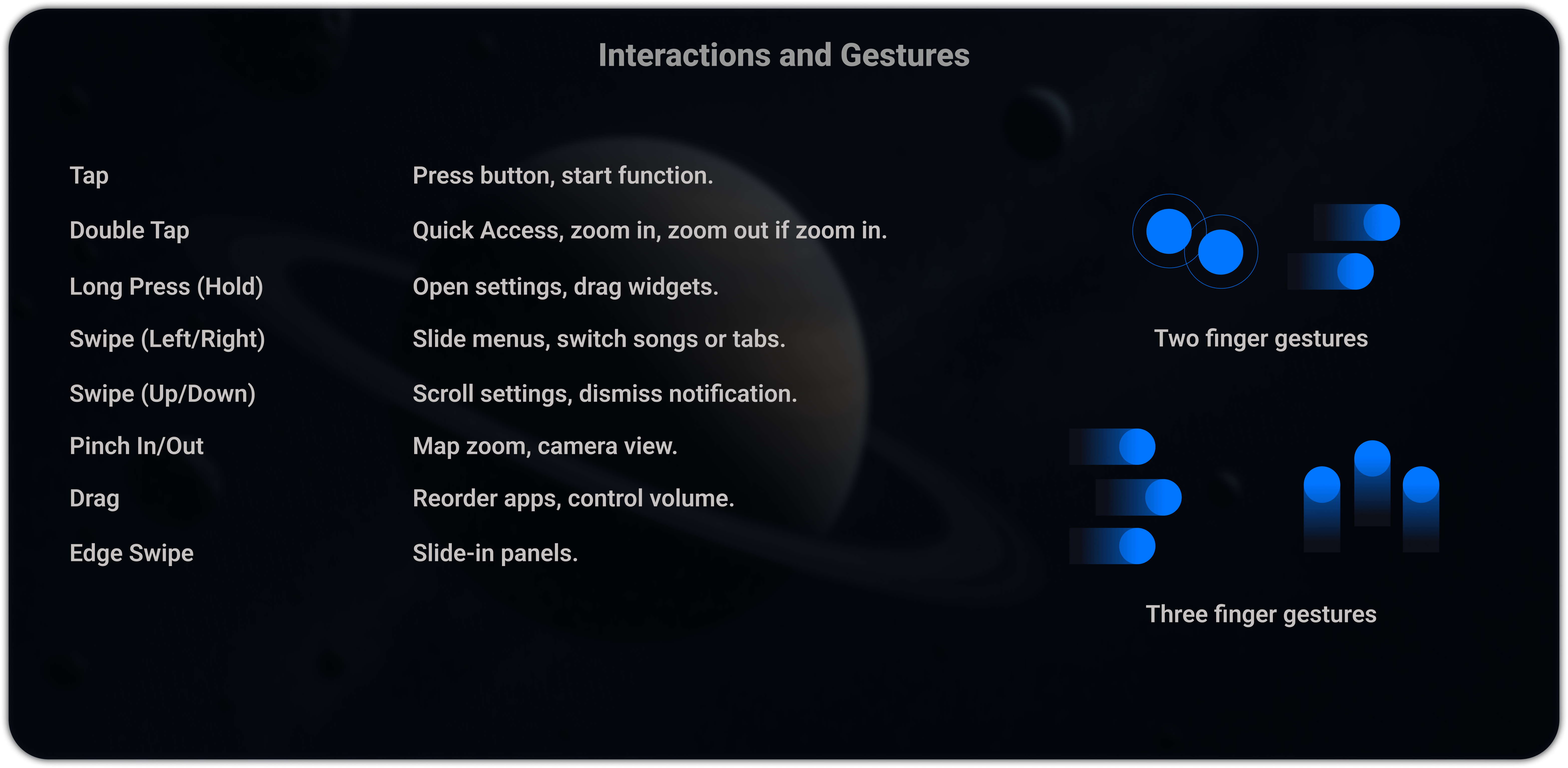
A touch language built for the road
Automotive touchscreens aren't phones. Drivers interact with gloved hands, bumpy roads, and split attention. Every gesture was designed for large target areas, single-hand operation, and zero ambiguity at speed.
Tap
Primary action. Select widget, toggle control, confirm dialog. Double-tap to quick-zoom maps or expand widgets to full-screen. All tap targets minimum 48dp with 8dp spacing.
48dp minimumLong Press (Hold)
Reveal secondary actions: widget options, drag-to-rearrange mode, or contextual shortcuts. 400ms threshold.
400ms hold thresholdSwipe Left / Right
Navigate between screens in the same zone, dismiss notifications, cycle through media playlists.
Zone-scopedSwipe Up / Down
Volume control (passenger zone), scroll lists, pull down quick settings panel. Velocity-mapped for precision.
Velocity-mappedPinch In / Out
Map zoom only, restricted to navigation zone. Disabled on driver cluster to prevent accidental triggers.
Nav zone onlyDrag
Reorder widgets in customization mode, adjust seat position slider, move map center point. Requires long-press activation.
Requires hold firstEdge Swipe
Swipe from screen edge opens zone control panel. Left edge opens driver settings, right edge opens passenger app drawer.
Edge-triggered onlyThree-Finger Gestures
Three-finger swipe down: screenshot current screen state. Three-finger hold: activate Nova voice assistant.
Power user shortcutsEvery pixel serves a purpose
Card-based, modular layout designed for glanceability. Each screen state maintains spatial consistency. The driver always knows where to look without cognitive re-mapping.

Primary Driving View
A unified driving view combining lane guidance, a 500 ft navigation prompt, 65 MPH speed and ACC status, 75% battery with 307 miles of range, and a dedicated passenger media panel.

Dashboard Widgets
The Home tab keeps essential widgets visible beside the driving view: 75% vehicle charge, Tempe weather, music playback for “Sapphire,” and air conditioning set to 64°F.

Music & Entertainment
The YouTube tab presents search, familiar navigation, content categories, and a scannable video grid while keeping driving information and essential controls continuously visible.

Seat Controls
The Driver Seat tab provides position, height, headrest, recline, lumbar, and thigh-support adjustments, paired with a 3D seat model for immediate spatial feedback.

Seat Massage
The Driver Massage tab offers Rolling, Unwind, Wave, Stretch, and Deep programs with visible mode selection, three intensity levels, speed control, and a clear Start action.

Climate Control
The climate tab shows synchronized 75°F driver and passenger zones, airflow direction and fan controls, fragrance, A/C power, Auto mode, defrost, and seat-comfort shortcuts.

Charging
The charging tab shows 75% battery, 32 minutes remaining, 307 miles of expected range, an 80% charge limit, and a Stop Charging action alongside background themes and app shortcuts.
ADAS: When every pixel is a warning
Advanced Driver Assistance Systems require a fundamentally different visual language. During safety events, the interface shifts. Non-critical elements recede, color coding intensifies, and the driver's attention is directed precisely where it needs to be.

Steering Assist, Automated Emergency Braking & Lane Keeping
Three critical ADAS states: Steering Assist with green lane markers, AEB with red emergency vehicle highlight and brake indicator, and Lane Keeping Assist (LKA) with green boundary lines showing the safe corridor.

Blind Spot, Object Detection, Weather & Lane Departure
Blind Spot Monitoring with red vehicle highlight and rear-camera feed, Advance Object Detection (animal on road), Weather Adaptation with rain-sensing visuals, and Lane Departure Warning (LDW) with red lane boundary alerts.
Occupancy-aware intelligence: the brain behind the screens
The interface isn't static. It dynamically adapts based on who's in the car, whether the vehicle is moving, and real-time sensor data. An occupancy state machine governs which zones activate, what content is allowed, and how the layout reflows, all without the driver ever needing to configure anything.
Decision State Machine
Screen Behaviour by Occupancy - Interactive Simulator
Designed for the real world
The interface works across lighting extremes, from direct sunset glare to pitch-black night driving. Day and night themes aren't just color swaps; the entire information hierarchy, contrast ratios, and visual weight shift to maintain readability.

Night Mode
Dark interior with high contrast UI, optimized for pitch-black night driving. Reduced brightness, enhanced glow elements, and warm amber accents minimize eye strain while maintaining full readability.

Day Mode
Light theme designed for bright environments: direct sunlight, sunset glare. Increased contrast ratios, bolder typography weight, and adjusted color saturation ensure legibility in all ambient conditions.
Tested with real drivers, measured results
The Figma prototype was tested with 15 users. Iterations focused on color contrast improvements, minimizing menu depth, and refining climate controls based on direct feedback.
Faster Task Completion
Improvement over previous OEM baseline for core tasks like adjusting climate, changing music, and checking navigation.
Display Scalability
Design system and modular layout scaled seamlessly from 10-inch to 15-inch displays without layout degradation.
Roadmap Consideration
Design language and information architecture were considered for future heads-up display integration.
Where this system goes next
The current design solves the core HMI challenge, but the roadmap extends into emerging technologies that will redefine the in-car experience over the next 3–5 years.
AR Windshield HUD
Navigation directions, speed, and ADAS alerts projected directly onto the windshield as augmented reality overlays, eliminating the need to glance down at the cluster entirely. Currently exploring optical waveguide integration and field-of-view constraints.
Adaptive AI Interface
Nova evolves from reactive assistant to predictive companion, using driving patterns, time of day, and calendar data to pre-configure the interface before the driver even touches the screen. Machine learning models that personalize widget priority and layout in real-time.
Voice-First Driving Mode
A dedicated high-speed mode where the touchscreen dims to a minimal HUD and all interaction routes through voice and gesture. Reduces visual distraction to near-zero during highway driving, while maintaining full functionality through Nova's conversational layer.
OTA Design Updates
Over-the-air updates that deliver new widget types, theme packs, and interaction refinements, similar to how Tesla ships software. The component architecture already supports hot-swappable UI modules without requiring a full system refresh.
Biometric-Driven UI
Integration with steering wheel heart rate sensors and cabin camera drowsiness detection. The interface would dynamically adjust, increasing contrast, activating alert tones, or suggesting rest stops when fatigue is detected.
V2X Connected Display
Vehicle-to-everything communication feeding real-time traffic light timing, emergency vehicle proximity, and road hazard alerts directly into the cluster, turning the ADAS layer from sensor-only to network-aware.
What I learned
Designing for automotive HMI forced a fundamentally different way of thinking about interfaces, where physics, regulation, and human attention are all design materials.
Simplicity equals clarity, not minimalism. Removing features doesn't make an interface better. Making every element instantly understandable does. The goal is comprehension speed, not visual emptiness.
In-car UX must respect physics. You're designing for a body in motion, under vibration, with variable lighting and divided attention. Screen design rules that work for mobile don't automatically transfer to automotive.
Safety is a design material, not a constraint. Working within NHTSA and ISO standards didn't limit creativity. It focused it. The 2-second glance budget forced better hierarchy, larger targets, and smarter information architecture.
Cross-functional collaboration is essential. Automotive HMI can't be designed in isolation. It requires tight alignment with safety engineering, hardware teams, motion designers, and software developers.